The Map Pack Books the Job Before Your Website Gets a Chance
Two of three HVAC companies in one map pack already show Schedule. The button books the job inside Google. How it works and what to set up this week.
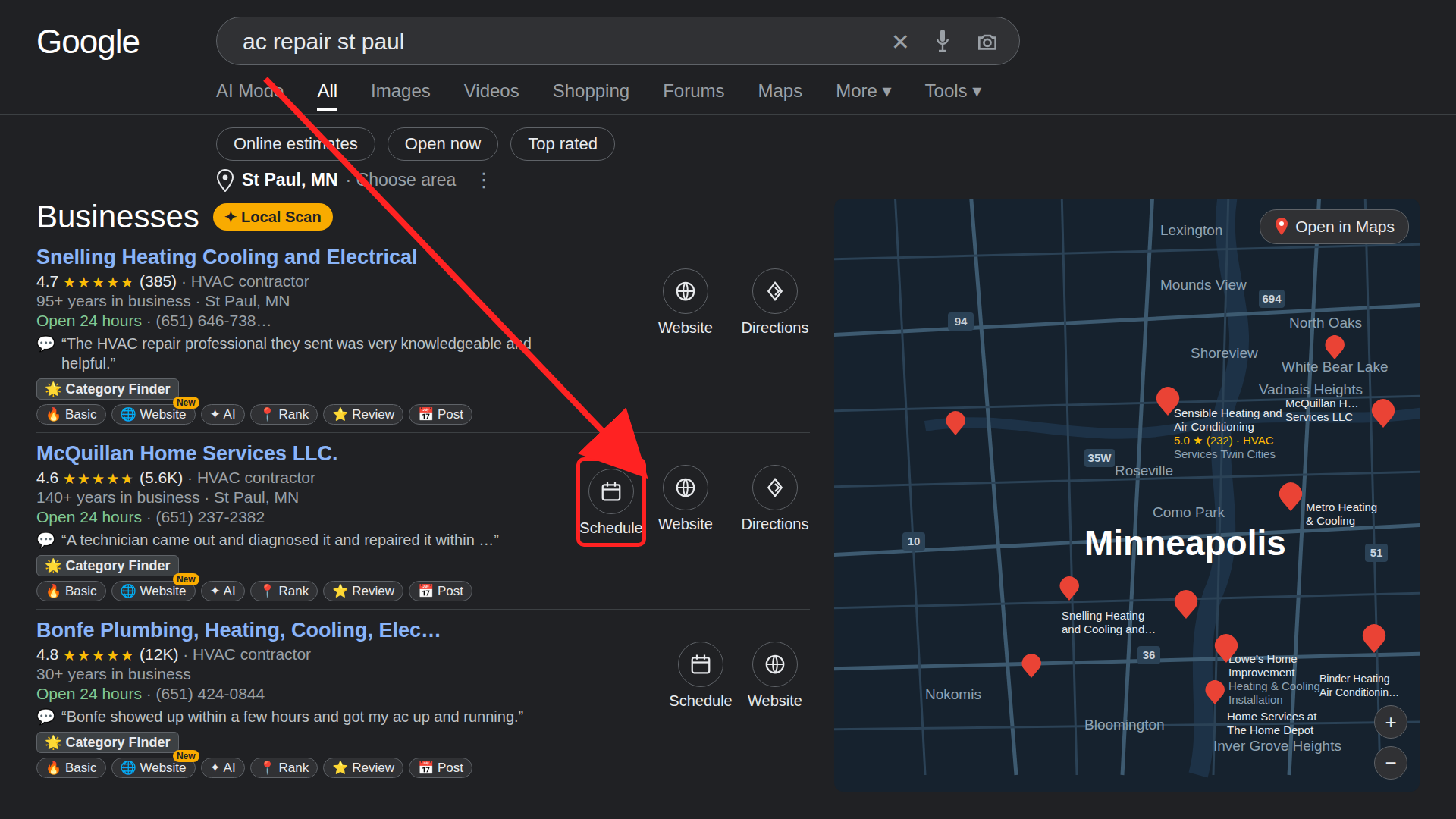
Noah Igler, who posts about SEO for home-service companies, posted a screenshot on November 17. He searched "ac repair st paul" and looked at the three HVAC companies in the map pack. Two of the three already show a Schedule button.
They type the query. The map pack shows three companies. On two of them, next to the name and the rating, there is a button that says Schedule. They tap it, and the booking request lands in the business's software, without a phone call or a website visit. The third company got the listing without a booking path.
The map pack stopped being a directory that sends people to your site. For the companies with the button, it became the booking desk.
Reserve with Google connects your software to your profile
The button is Reserve with Google. You connect your scheduling software to your Google Business Profile, Google matches the profile to your account, and the button appears on the listing. The booking then lands in your software.
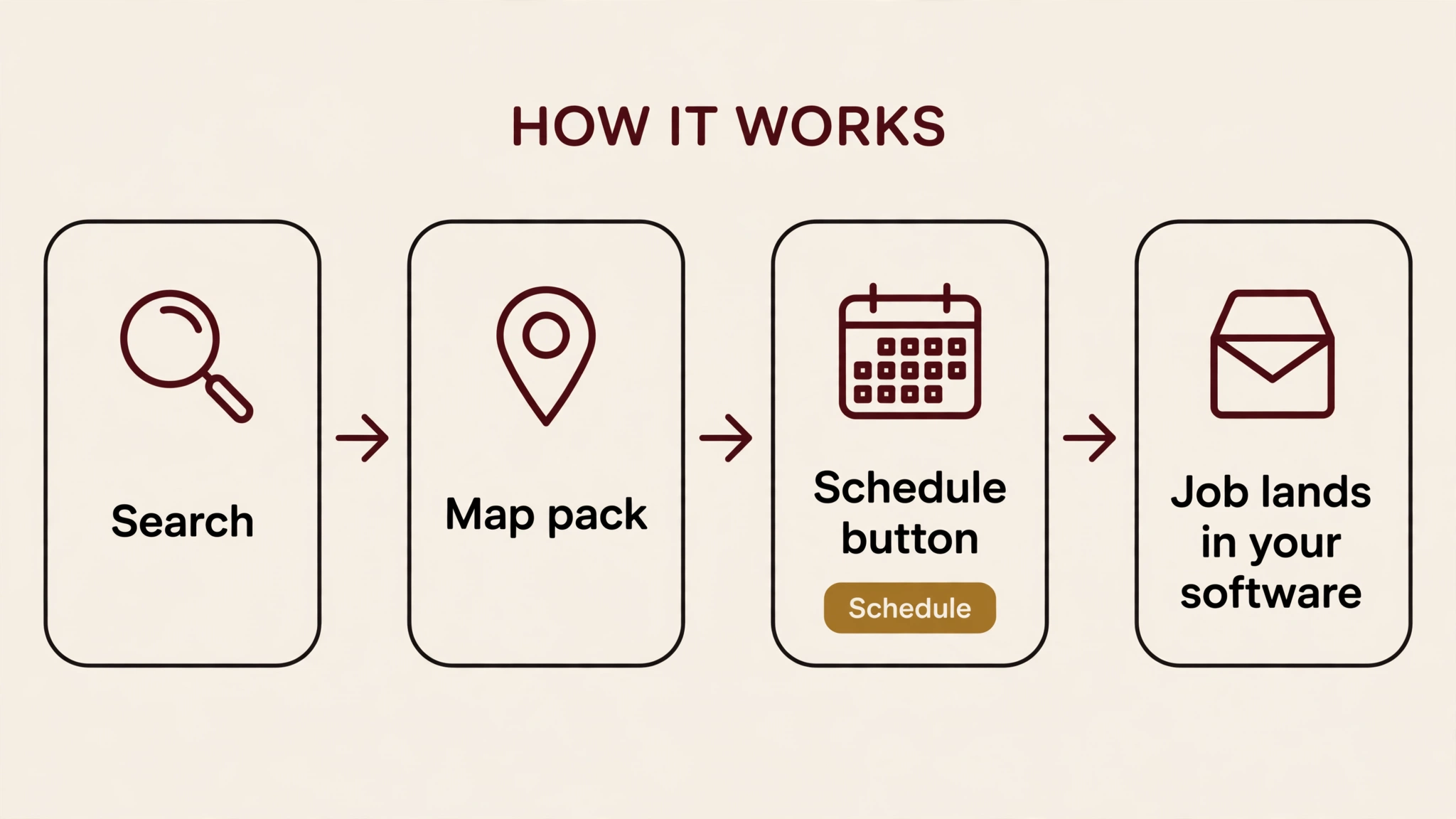
A label note: the vendors call it a Book Online button in their docs. The map pack labels it Schedule. Same button, different label.
Noah names three platforms, and the setup is not the same on each.
| Software | What Google needs | Timing |
|---|---|---|
| ServiceTitan | Scheduling Pro set up, profile matched to a scheduler | Profile matches typically take 24 to 72 hours, per ServiceTitan's help docs |
| Housecall Pro | Information matching the Google profile exactly | Free to enable, per Housecall Pro's help page |
| Jobber | Full address, profile connected at the same address, request or booking form assigned to Google | Usually within 72 hours, per Jobber's help page |
Noah says to allow up to a week for the button to show after the match. Jobber's help page is more specific: a new connection usually shows up on Google within 72 hours, and the week-long wait applies when you change or remove the connected form. ServiceTitan's own docs put the match at 24 to 72 hours. Plan on days, not hours.
The form you connect matters on Jobber. It links your default request form first, which takes a request, and you can switch it to a booking form, which books a slot. A request form hands Google a question. A booking form hands Google a time. If the button opens a form that only asks for a callback, the homeowner is back to waiting.
One failure mode is documented. Housecall Pro's help page says that if the Book Online button does not appear and the profile shows website links instead, you have to remove any preferred links set on the Google profile. A preferred link on your profile can block the button that would have booked the job directly.
Ranking first is no longer the whole job
I have written before that Google moved booking inside the AI Mode answer, and that Google tested local results with the contact buttons stripped out. The map pack is the surface where that same shift lands closest to the sale.
The ranking still matters. You have to be one of the three to show a button at all. But once you are in the three, the job goes to the business a homeowner can book from the results page.
Before you assume a button means a connection, check one more thing. On November 9, Google started adding Book Online buttons to some profiles that never set up booking at all, and some of those landed on an error page. If your button appeared without a connection, tap it and see where it lands before you count it as a Reserve match. I covered that one in detail in the local pack post.
What to set up this week
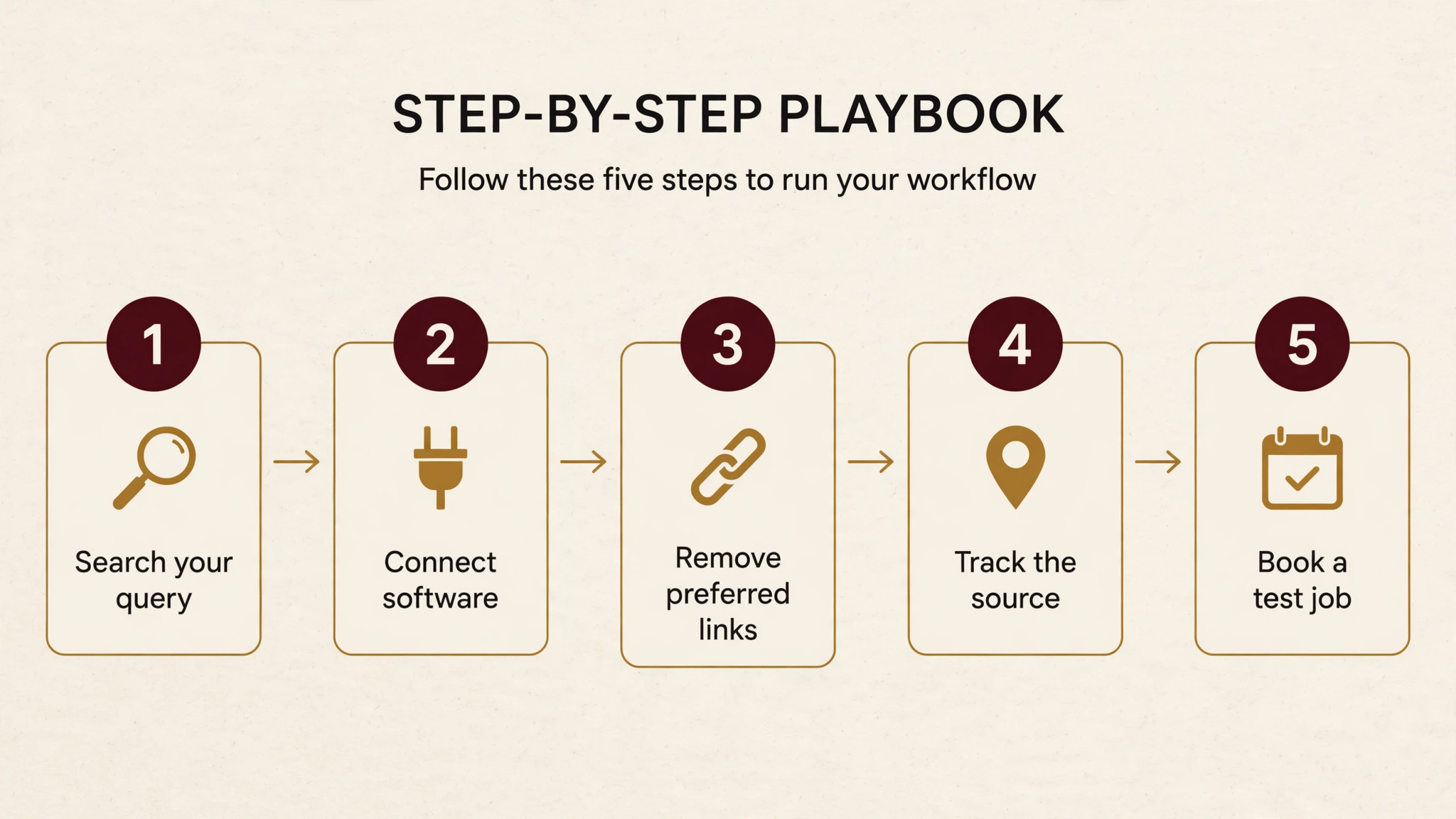
Noah's checklist is five steps. Here it is with the checks that decide whether the button works.
- Search your top service and city the way a customer would, logged in and logged out, on mobile, and write down which of the three pack listings show Schedule and where each button lands.
- Connect your scheduling software, with your business name and address matching your Google profile exactly. This is the step that decides whether Google matches you at all. Jobber's own troubleshooting starts with exactly this check: confirm the address matches exactly.
- If the button will not show, check for preferred links on your Google profile and remove them.
- Track these bookings as their own source in your CRM. If you lump them in with website leads or phone calls, you will never know what they turn into.
- Book a test job yourself and time how long your team takes to confirm it. A button that books into a calendar nobody watches is worse than no button. The homeowner picked you because it was fast. If the confirmation takes a day, they will call the next listing.
The number that makes it worth doing
Noah closes his post with a result from one HVAC company's own site: a booking box with same-day availability booked 64 jobs and over $180K in sales this September. That is his client's number, from their website, not from the map pack button.
It does not prove what the Schedule button will do for you. It is one company, one month, no control group. What it suggests is narrower: when a homeowner can see a time and take it without calling, jobs get booked. The map pack button offers the same shortcut, in the search results instead of on the company's site. The $180K came from a booking box with same-day availability on the company's own site.
The setup takes an afternoon. The button takes days to appear. Search your top service and city this week, and check whether your listing shows Schedule yet. Does yours?

About the author
Dalin de Graff is a digital marketing expert based in Winnipeg, Canada, with 9 years of experience across SEO, GEO, and AI search. At First Rank, he built the agency's GEO practice and leads its work on AI search and LLM visibility. His results include +311% organic clicks, +300% calls, and +98% AI search traffic in 30 days. He writes about search, AI, and marketing at dalindegraff.com.