Google Tested Local Results With No Way to Reach You
Google tested a local pack with no call, website or directions button, and auto-added Book Online buttons that can return a 500 error. Audit your profile.
In one week in November, local search moved twice, in opposite directions. On November 9, Search Engine Roundtable reported that Book Online buttons were appearing on Business Profiles that never set up booking. On November 10, the same site reported that Google is testing a local pack inside AI Overviews with no call button, no website button, no directions button, no reviews, no photos, no address and no hours. One adds a way to reach you that you did not ask for. The other is a test that removes every in-result way to reach you. Google has said nothing in either report.
Walk through the stripped pack
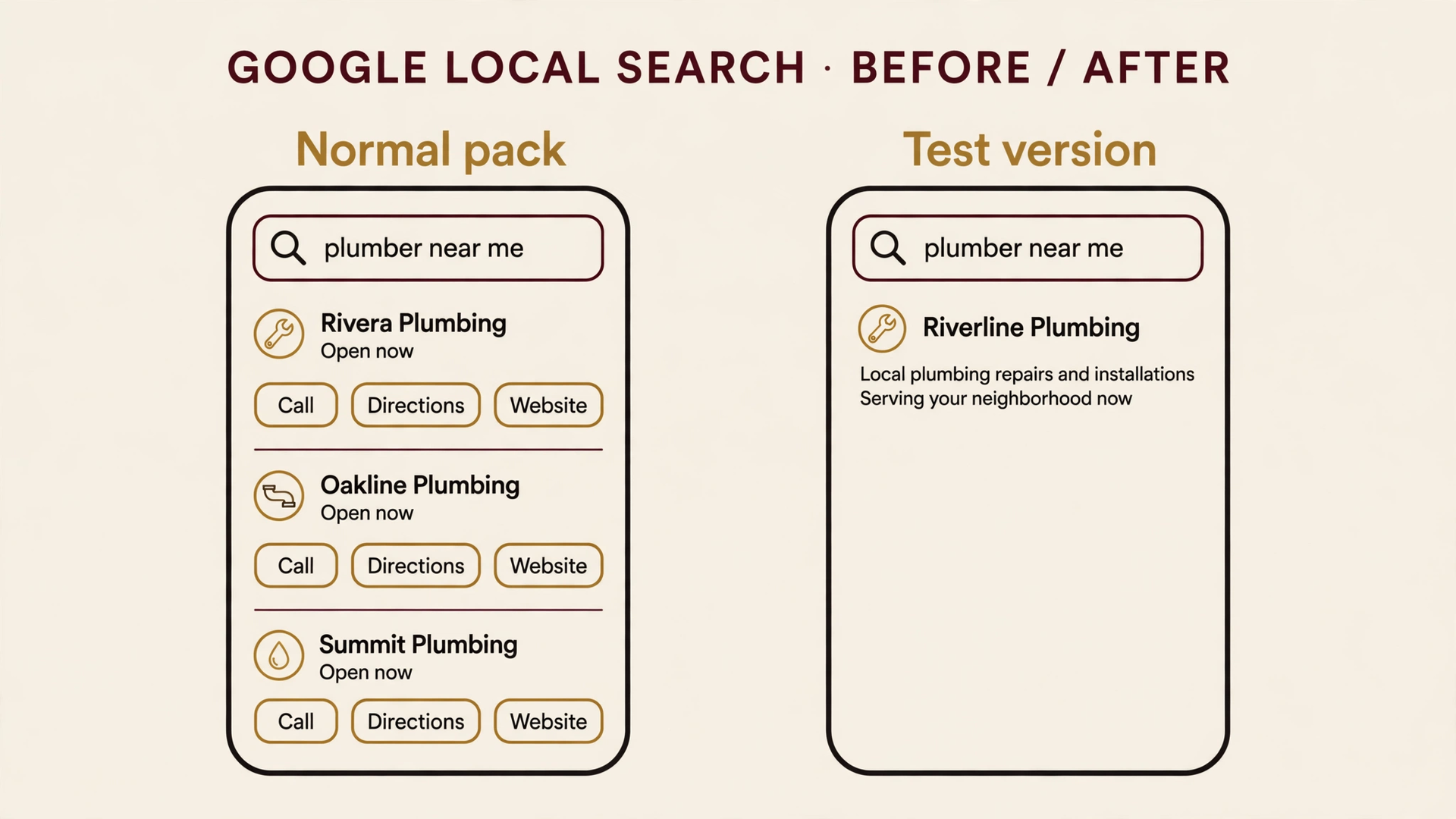
Take a phone and search "plumber near me". The normal result shows three businesses under a map. Each one carries stars, a photo, its hours, and three buttons: Call, Directions, Website. A customer picks a business and reaches it in one tap.
The test version shows the business name and a few lines Google's AI wrote about it, and nothing else. And on a phone, when this version appears, the traditional local pack is gone entirely. That last part comes from Joy Hawkins, a local search specialist who flagged the test on X after seeing it for a few days. Barry Schwartz reproduced it and published the screenshots on November 10. Hawkins put it plainly: "It uses the Google Business Profile but yet removes a ton of its features (reviews, address, hours etc). This is probably the ugliest version of the AI Overview I've seen in local thus far. Hoping this one reverts soon."
| What the searcher sees | Normal local pack | Test version |
|---|---|---|
| Website button | Shown | Removed |
| Call button | Shown | Removed |
| Directions button | Shown | Removed |
| Reviews and stars | Shown | Removed |
| Photos | Shown | Removed |
| Address | Shown | Removed |
| Hours | Shown | Removed |
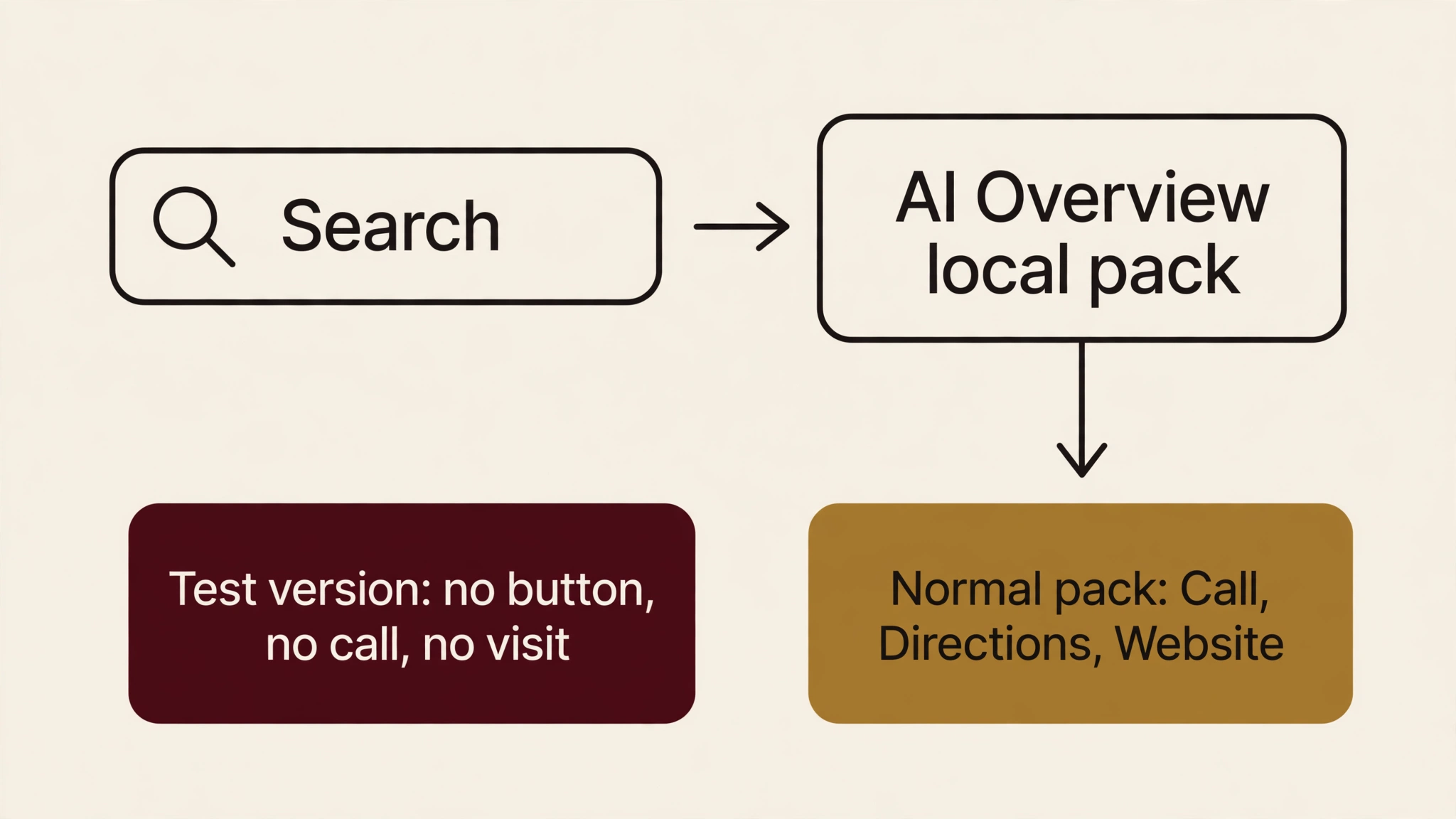
AI Overview local packs are not new. Schwartz notes they have been around for a couple of years. This is a new version of an existing surface, and it is a test. The answer keeps more of the transaction, and the business keeps less of the path to contact. Schwartz drew the same conclusion in one line: the test version cannot be good for clicks, calls and direction requests to businesses.
The button Google added for you
The November 9 story runs the other way. Schwartz found a booking link added to his own company's profile. Brandon Schmidt, Joy Hawkins and Syed Amir posted on Friday, November 6, that more businesses were seeing it, including a home care business and a home services client, neither of which had booking software set up with Google.
Until now, a Book Online button on a home service profile needed Reserve with Google, an approved booking partner. The sightings suggest that bar has moved. Syed Amir reported that adding a website's Contact page in the Booking Link section now triggers the button. Schmidt's examples went to the businesses' contact forms.
Some of those links work. They land on the business's own contact or scheduling page. Some land on Google's maps/reserve pages and return a 500 error. Hawkins clicked one on Friday, November 6, and got the error page. Schwartz tried a different link the same day and reached the company's contact page. That fits the pattern. Links to the business's own page work, and links to Google's maps/reserve pages return a 500 error. A customer who taps Book Online and lands on an error page has little reason to try again. The next business is one tap away.
This is the second half of a booking story that started the week before. On November 4, Google added booking and quote links for US home services inside AI Mode, routed through partners like Angi, Thumbtack, Housecall Pro and Jobber. I covered that launch in my post on Google moving the booking inside the answer. That version routes through a partner you choose. This version routes through a profile field you may not know exists.
The profile is the product now
Both changes run through the same source, the Business Profile, and neither asks the owner. One strips what the profile shows. One completes it with a button the owner did not set. Ranking first used to buy a click to your site. Now the click is conditional on a layout Google is still testing and a button Google may have added itself.
I have argued since September that your Google Business Profile is your homepage. The profile is also the phone, the map pin, the booking desk and the review wall, and Google rearranges all of it. The work that matters this week is a button check.
A Winnipeg therapy clinic I work with saw calls rise 300% after we rebuilt its profile so the address, the services and the hours matched its booking system exactly, because that is where the customer decides. Those calls followed the profile rebuild, not a website change. A stripped pack or a broken Book Online button hits that channel first, before the website ever loads. The audit below catches the failure before it costs calls. It checks the same fields the rebuild fixed, the way a customer would check them.
The five-button audit
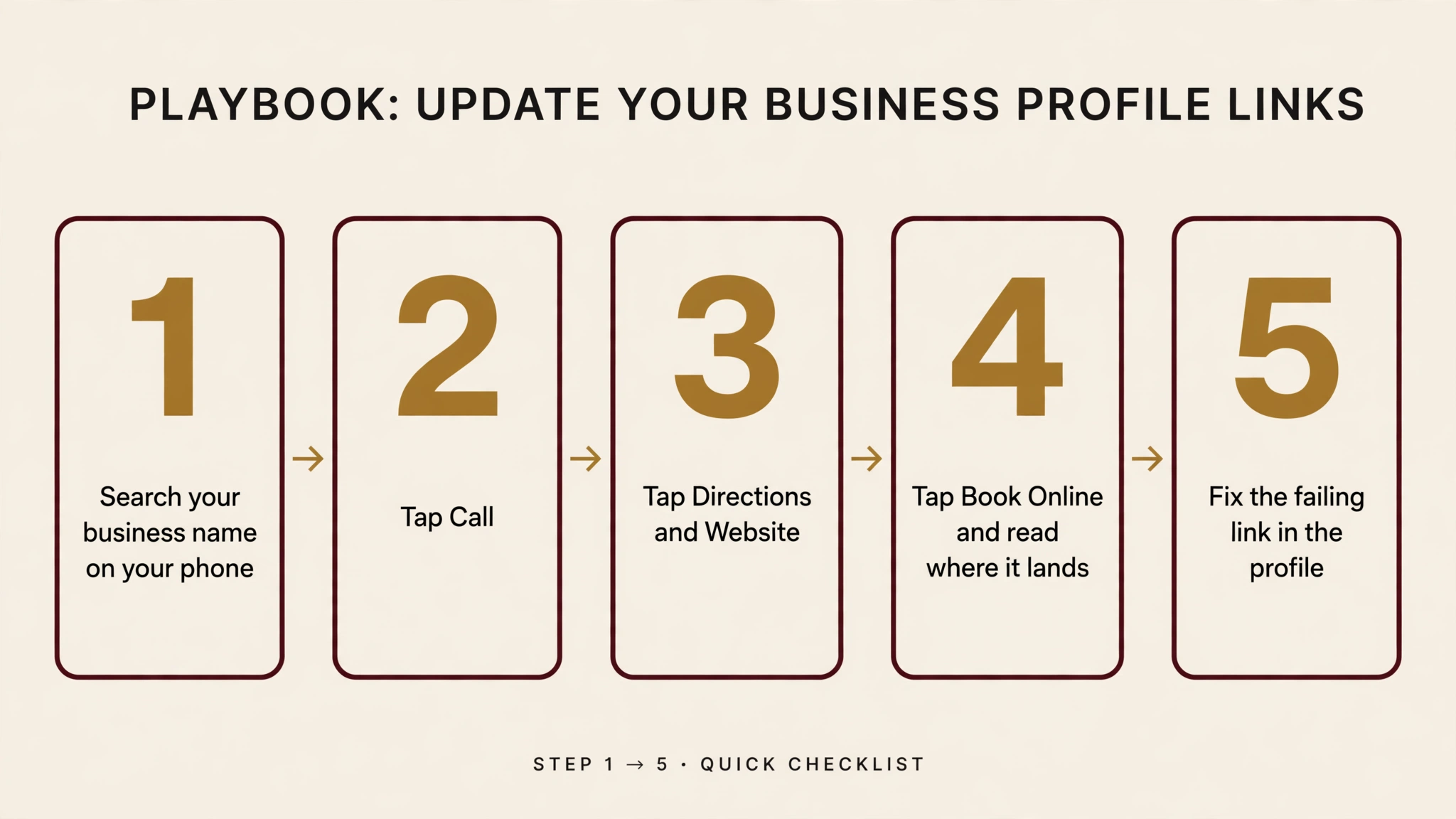
Search your business name on your phone and tap each button in turn.
| Button | What to check |
|---|---|
| Call | It rings the right number. |
| Directions | It lands on your address. |
| Website | It opens your site, not a stale page. |
| Book Online | It opens a page where someone can book or reach you, and it loads. An error page is a lost customer. |
| Reviews, photos, hours | They are visible, current, and yours. |
Fix what fails in the profile itself: the booking link destination, the phone number, the address, the hours. If a Book Online button appeared that you did not set, decide whether its destination earns it. If it points at your contact form, replace it with a real booking page or remove the link. If it points at a Google page that errors, remove the link now. If the stripped pack is showing for your queries, there is nothing to fix yet, because it is a test. The profile fields it reads from are the same fields, so the audit still applies.
Fix the one that does not work. That is the whole job this week.

About the author
Dalin de Graff is a digital marketing expert based in Winnipeg, Canada, with 9 years of experience across SEO, GEO, and AI search. At First Rank, he built the agency's GEO practice and leads its work on AI search and LLM visibility. His results include +311% organic clicks, +300% calls, and +98% AI search traffic in 30 days. He writes about search, AI, and marketing at dalindegraff.com.